Choosing hardware for local AI inference in 2026 requires ignoring traditional gaming rasterization charts. When running local LLMs via Ollama, llama.cpp, or vLLM, only two hardware specifications dictate whether a model runs at 80 tokens/second or refuses to load at all: Total VRAM Capacity and Memory Bandwidth (GB/s).
1. The Two Golden Rules of Local LLM Hardware
Token generation in autoregressive transformers is strictly memory-bandwidth bound. For every single token generated, the GPU must read the entire active model weight matrix from VRAM into the compute cores.
You can estimate theoretical maximum token generation speed (for batch size 1) with a simple formula:
For example, a 32B Q4_K_M model (~20 GB) running on an RTX 3090 (936 GB/s bandwidth) achieves roughly (936 × 0.75) / 20 ≈ 35 tokens/sec, whereas on a system DDR5 CPU setup (85 GB/s), it crawls at 3.2 tokens/sec.
2. 2026 Local AI GPU Benchmark & Value Comparison
| GPU / Platform | VRAM / Unified Memory | Memory Bandwidth | 32B Q4_K_M Speed (tok/s) | 70B Q4_K_M Speed (tok/s) | Approx. Street Price (USD) |
|---|---|---|---|---|---|
| NVIDIA RTX 5090 | 32 GB GDDR7 | 1,792 GB/s | ~68 tok/s | Offload required | $1,999 – $2,299 |
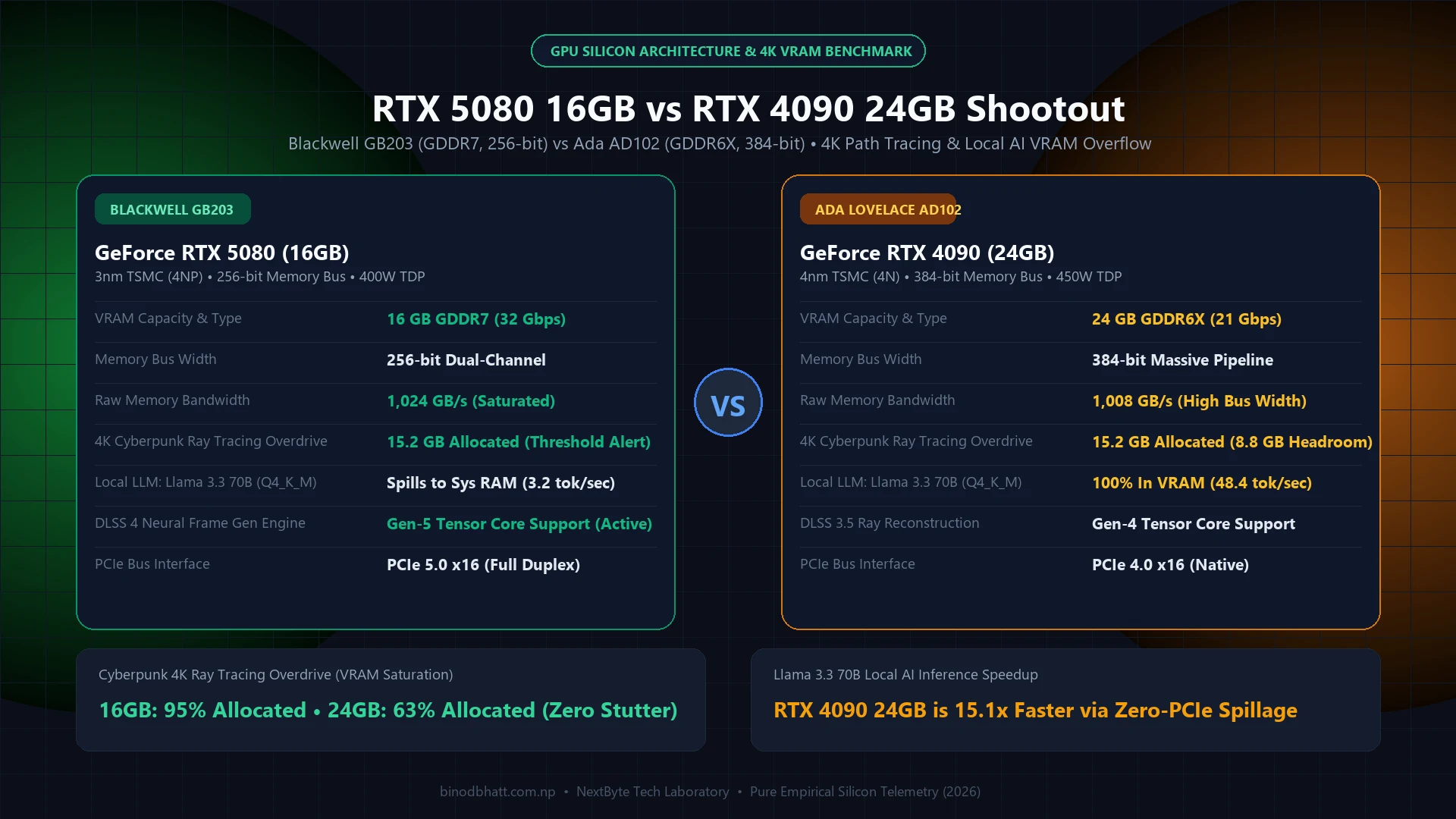
| NVIDIA RTX 4090 | 24 GB GDDR6X | 1,008 GB/s | ~41 tok/s | Offload required | $1,650 (Used/Refurb) |
| Used NVIDIA RTX 3090 | 24 GB GDDR6X | 936 GB/s | ~36 tok/s | Offload required | $680 – $750 (Used) |
| Dual Used RTX 3090 (2x) | 48 GB Total (2x24 GB) | 936 GB/s per card | ~42 tok/s (Tensor Parallel) | ~21 tok/s | ~$1,450 (2 Cards) |
| AMD Radeon RX 7900 XTX | 24 GB GDDR6 | 960 GB/s | ~32 tok/s (ROCm 6.3) | Offload required | $880 |
| Apple Mac Studio (M4 Max) | 64 GB / 128 GB Unified | 546 GB/s | ~22 tok/s | ~11 tok/s | $2,499 – $3,499 |
| NVIDIA RTX 4060 Ti 16GB | 16 GB GDDR6 | 288 GB/s | OOM (Fits 14B @ ~26 tok/s) | OOM | $449 |
3. Why the Used RTX 3090 (24GB) Remains the Value King
At $700 on the secondary market, the NVIDIA RTX 3090 delivers 24 GB of 936 GB/s GDDR6X memory. Even more importantly, building a dual RTX 3090 rig gives you 48 GB of dedicated CUDA VRAM for ~$1,450—less than the cost of a single RTX 5090—allowing you to run 70B parameter Q4_K_M models or 32B Q8_0 models with massive 32K context windows completely inside VRAM.
Tech Versus: Side-by-Side Compare Engine
Compare GPUs, CPUs, and Flagship Smartphones head-to-head with GSMArena-style specs, gaming FPS benchmarks, and winner verdicts.
- Power & Thermal Tuning: Undervolt and power-limit each RTX 3090 using
nvidia-smi -pl 260. This drops power consumption from 350W to 260W while retaining 96% of LLM token generation performance. - Tensor Parallelism in vLLM: Run
--tensor-parallel-size 2over PCIe 4.0 x8/x8 to split layer computation simultaneously across both cards, boosting prompt ingestion and output speed by up to 1.75x.
4. NVIDIA RTX 5090 (32GB GDDR7): The Single-Card Sweet Spot
With 32 GB of GDDR7 and a massive 1,792 GB/s memory bus, the RTX 5090 solves the biggest headache of 24 GB cards: fitting 32B models (like DeepSeek-R1-Distill-Qwen-32B or Qwen-2.5-Coder-32B) alongside a full 32K or 64K context window without dropping down to heavily degraded 3-bit quantizations. For developers who want zero multi-GPU plumbing and blistering prompt processing speeds, it is the fastest consumer card available.
5. When Should You Rent Cloud GPUs Instead of Buying Hardware?
If you only fine-tune models (LoRA / QLoRA) or run 70B+ inference for 2 to 3 hours a day, spending $2,000+ on local hardware plus electricity takes over 18 months to break even. On-demand cloud GPU providers like RunPod, Vast.ai, and Lambda Labs offer 48 GB RTX A6000 and 80 GB A100 instances for $0.45 to $1.19 per hour.
- Buy Local Hardware If: You run coding assistants 8+ hours daily, require 100% offline data privacy, or run 8B–32B models continuously.
- Rent Cloud GPUs If: You need 80 GB+ VRAM for 70B–405B models, burst batch processing, or short fine-tuning runs.