Looking for the healthiest monitor for 10+ hour workdays or the best automatic brightness monitor in 2026? Modern eye-care panels eliminate digital eye strain using three hardware-level technologies:
- Ambient Auto-Brightness Sensors (Automatic Dimming): Panels like the BenQ PD3225U / RD280U (B.I.+ Gen2 Brightness Intelligence) and Apple Studio Display continuously sample room lux levels and color temperature, automatically adjusting nit output from 350 nits at noon down to 80 nits at night.
- Hardware Low Blue Light (TÜV Rheinland Eyesafe 2.0): Shifts harmful high-energy visible (HEV) blue wavelengths (415nm–455nm) to safer 460nm+ wavelengths directly at the LED backlight layer—preserving 98% DCI-P3 color accuracy without a yellow software tint (e.g., Dell UltraSharp U2724DE ComfortView Plus).
- True DC Dimming (Zero-PWM Flicker-Free): Replaces rapid Pulse-Width Modulation (PWM) backlight strobing with continuous Direct Current voltage regulation, preventing sub-perceptual retinal fatigue and migraines.
💡 Retina Text Sharpness Tip: Pair a flicker-free backlight with at least 110–163 PPI so your ciliary eye muscles never strain to focus on blurred subpixels. Check your exact display sharpness with our Monitor PPI & Viewing Distance Calculator.
If you work remotely in 2026, your monitor is the single most important piece of physical ergonomics on your desk. Staring at an undersized laptop screen induces chronic neck strain, degrades visual focus, and constrains your daily multitasking capacity. The central debate among desk setup enthusiasts is whether to invest in an expansive 34-inch Ultrawide curved monitor or a Dual 27-inch monitor configuration.
1. Panel Tech Breakdown: IPS vs VA vs OLED for Office Work
- IPS (In-Plane Switching): The gold standard for productivity and design work. Delivers wide 178-degree viewing angles, crisp text legibility, and accurate sRGB/DCI-P3 color reproduction. Perfect for dual-monitor setups where you view the secondary screen at an angle.
- VA (Vertical Alignment): Delivers deep contrast ratios (3000:1) with deep inky blacks. Dominates budget curved ultrawides. However, sub-pixel text rendering can be slightly softer, and color shifting occurs when viewed off-axis.
- OLED (Organic Light Emitting Diode): Unrivaled contrast and HDR for gaming and entertainment, but risky for full-time spreadsheet and document work due to permanent burn-in potential from static taskbars and window borders.
2. The Single Cable Revolution: USB-C Power Delivery
Never buy a modern productivity monitor without USB-C Power Delivery (PD). A single USB-C cable transmits 4K video signal, routes data for the monitor's built-in USB hub (keyboard, mouse, webcam), and charges your laptop simultaneously (target minimum 65W to 90W PD). This eliminates bulky laptop power bricks from your desk.
3. Top 3 Tested Monitors Under $400 USD
- Dell UltraSharp U2724D ($320 USD) — Best 27" Productivity Screen: 27-inch 1440p IPS Black panel with 2000:1 contrast, 120Hz smooth refresh rate, ambient light sensor, and full ergonomic height/swivel/pivot adjustability. Ideal for dual-monitor desks.
- LG 34WN80C-B ($379 USD) — Best Value 34" Ultrawide: Curved 21:9 WQHD (3440 x 1440) IPS display with 60W USB-C Power Delivery and HDR10 support. Offers the equivalent screen real estate of two 24-inch monitors without a dividing center bezel.
- ASUS ProArt Display PA279CV ($399 USD) — Best for Content Creators: 27-inch 4K UHD (3840 x 2160) panel with factory Calman verification (100% sRGB / 100% Rec. 709) and 65W USB-C charging.
60Hz vs 120Hz/144Hz for Office Work: Is High Refresh Rate Worth It?
Many professionals dismiss high refresh rates (120Hz or 144Hz) as a frivolous luxury intended exclusively for competitive gamers. In reality, stepping up from a standard 60Hz screen to 120Hz provides an enormous boost to everyday productivity. Mouse cursor tracking feels instantaneous, scrolling through 5,000-row Excel spreadsheets or long PDF contracts becomes buttery smooth without motion blur, and text remains sharp and legible while in motion.
Tech Versus: Side-by-Side Compare Engine
Compare GPUs, CPUs, and Flagship Smartphones head-to-head with GSMArena-style specs, gaming FPS benchmarks, and winner verdicts.
In 2026, premium office monitors like the Dell UltraSharp U2724D integrate 120Hz refresh rates natively into high-color-accuracy IPS panels without requiring dedicated gaming GPUs. If your budget accommodates it, 120Hz reduces end-of-day eye fatigue noticeably.
Ergonomic Monitor Arms vs Factory Stands
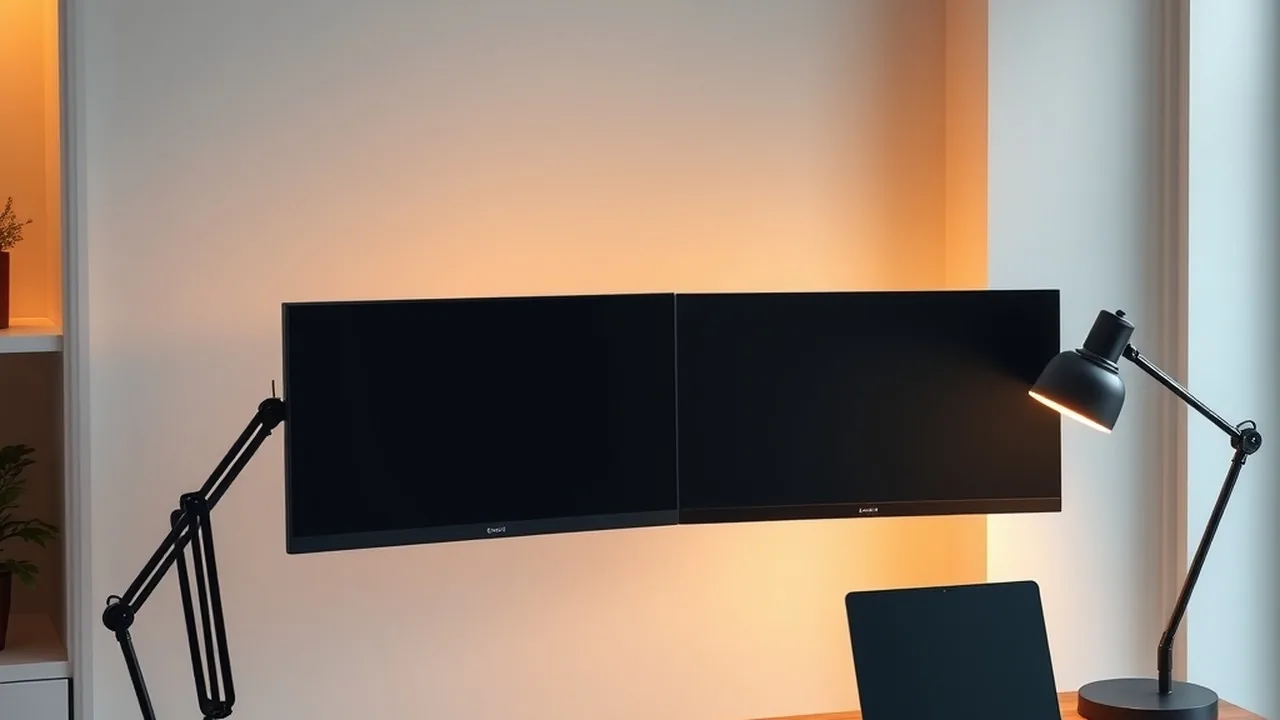
Most stock monitor stands consume significant desk space with broad plastic feet and lack independent height articulation. Investing $30 to $50 USD in a gas-spring VESA monitor arm (compatible with 75x75mm or 100x100mm mounting holes) is one of the best ergonomic investments you can make:
- Positions the top third of your display directly at eye level to prevent chronic neck hunching.
- Frees up valuable desk surface beneath the screen for mechanical keyboards, audio DACs, and notebooks.
- Allows instant portrait/landscape rotation for reading code or reviewing vertical contracts.