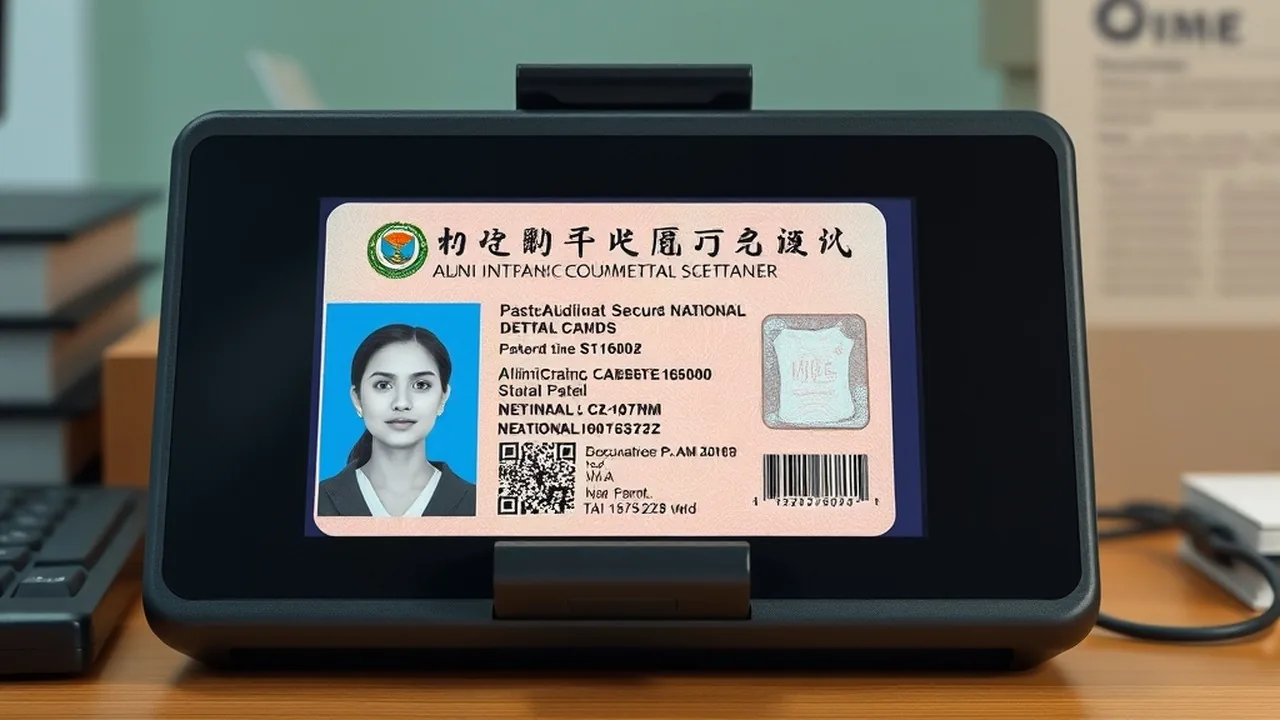
The National Identity Card (Rastriya Parichayapatra - राष्ट्रिय परिचयपत्र) issued by the Department of National ID and Civil Registration (DoNIDCR) serves as Nepal's universal biometric identity infrastructure. Beyond replacing legacy paper citizenship certificates, the 10-digit National Identity Number (NIN) is legally mandatory for issuing biometric e-Passports, registering Personal PAN certificates, executing land revenue (Malpot) property transfers, and accessing social security allowances. Despite its statutory importance, applicants frequently encounter portal timeouts, biometric station appointment gridlocks, and transliteration discrepancies. This operational manual outlines the exact pre-enrollment procedures, biometric data collection protocols, SMS verification codes, and expedited NIN extraction workflows.
National ID (NID) Enrollment Essentials
1. Mandatory Prerequisites & Interlinked Government Systems
The National Identity Number operates as the cryptographic master key across Nepal's public sector databases:
- e-Passport Integration: Under Department of Passports rules, no applicant aged 16 or above can submit an e-Passport pre-enrollment form without an authenticated NIN. Review our companion guide on Nepal e-Passport Online Appointment Booking.
- Inland Revenue Department (IRD): Linking your NIN with your tax ID enables instantaneous biometric verification for tax compliance, as detailed in our Personal PAN Card Online Registration Guide.
- Required Documents for Enrollment: Original Nepali Citizenship Certificate, Original Marriage Certificate (for married individuals whose spouse name is not on the citizenship), and Migration Certificate (Basai Sarai) if applying outside your home district.
2. Step-by-Step Online Pre-Enrollment Guide
Complete your digital pre-enrollment before visiting a biometric station:
- Navigate to the Official MIS Portal: Open
https://mis.donidcr.gov.np/PreEnrollment/. Click on Login for Individual. - Mobile Number Verification: Enter your 10-digit Nepali mobile number. You will receive a 6-digit One-Time Password (OTP) via SMS. Enter the OTP within 120 seconds.
- New Application Setup: Select New Enrollment. Choose your language preference (English and Unicode Nepali are synchronized automatically).
- Demographic Data Entry:
- Personal Details: Enter full name in English and Nepali script, date of birth (both Bikram Sambat and Gregorian Calendar), gender, blood group, and marital status.
- Citizenship Details: Provide Citizenship Number, Date of Issue, and Issuing District exactly as printed on the physical certificate.
- Parental & Spousal Records: Enter Father's, Mother's, and Spouse's names and citizenship numbers.
- Permanent & Temporary Address: Select Province, District, Local Level (Municipality/Rural Municipality), and Ward Number.
- Appointment Scheduling: Select your preferred biometric station (e.g., District Administration Office Kathmandu, Lalitpur DAO, or your local Ward Office) and choose an available date slot.
- Print Barcode Application Slip: Submit the application and download the generated PDF containing your unique Application Number / Barcode. Print this sheet.
3. Biometric Station Protocol: In-Person Verification
On the scheduled date, visit the designated administrative station with your printed application slip and original documents:
| Biometric Station (Kathmandu Valley) | Eligibility & Jurisdiction | Typical Dwell Time | Daily Token Allocation |
|---|---|---|---|
| DAO Kathmandu (Babarmahal) | Citizenship issued in Kathmandu District | 45 – 90 Minutes | 400 – 600 Slots |
| Department of National ID (Singha Durbar) | Emergency e-Passport & Official delegations | 30 – 60 Minutes | Priority Queues |
| DAO Lalitpur (Jawalakhel) | Citizenship issued in Lalitpur District | 40 – 75 Minutes | 250 – 350 Slots |
| Rastriya Sabha Griha (City Hall, Exhibition Road) | Out-of-valley citizenship holders living in Kathmandu | 2 – 3.5 Hours | 500 Slots (Crowded) |
During physical capture, the operator collects:
Join NextByte Tech Community on Telegram
Get immediate notifications for new verified Windows fixes, open-source utilities, and tech tutorials.
- 10-Finger Biometric Scan: 4 left fingers, 4 right fingers, and both thumbs across an optical capacitive scanner.
- Iris Scanning: High-resolution optical scan of both retinas. Glasses and colored contact lenses must be removed.
- Digital Facial Portrait: Neutral facial expression against a standard white backdrop.
- Digital Signature: Captured using an electronic stylus pad.
4. Checking Your NIN Number Online & Via SMS
You do not need to wait months for the physical plastic smart card to arrive. The critical asset is your 10-digit National Identity Number (NIN), which is generated within 24 to 72 hours following biometric capture:
📱 Instant SMS Query (Fastest Method)
From your registered mobile number, compose an SMS with your application number:
NID <Application Number>
Send the message to 30001. You will receive an automated response containing your 10-digit NIN and verification confirmation.
💻 Web Portal Verification
Visit donidcr.gov.np, navigate to Citizen Services → Check NID Status. Input your Application ID and Date of Birth to view your active profile and print an official verification slip.
Status: Valid for official submission to Department of Passports
5. Resolving Name & Date of Birth Discrepancies
If the DoNIDCR system rejects your application due to demographic data mismatches:
- Citizenship vs Educational Certificate Mismatch: The DoNIDCR database accepts only the spelling and date recorded on your citizenship certificate. Rectify any citizenship spelling errors through your local District Administration Office (DAO) prior to final biometric locking.
- Lost Application Slip: Retrieve your Application ID by logging back into
mis.donidcr.gov.npusing your registered mobile OTP, or visit your biometric station help desk.
Explore Government & Labor Portals on NextByte Tech
Need to renew your foreign employment labor permit? Read our complete FEIMS portal guide. 📑 Read DoFE FEIMS Shram Renewal Guide →